1. Your Progress, Front and Center
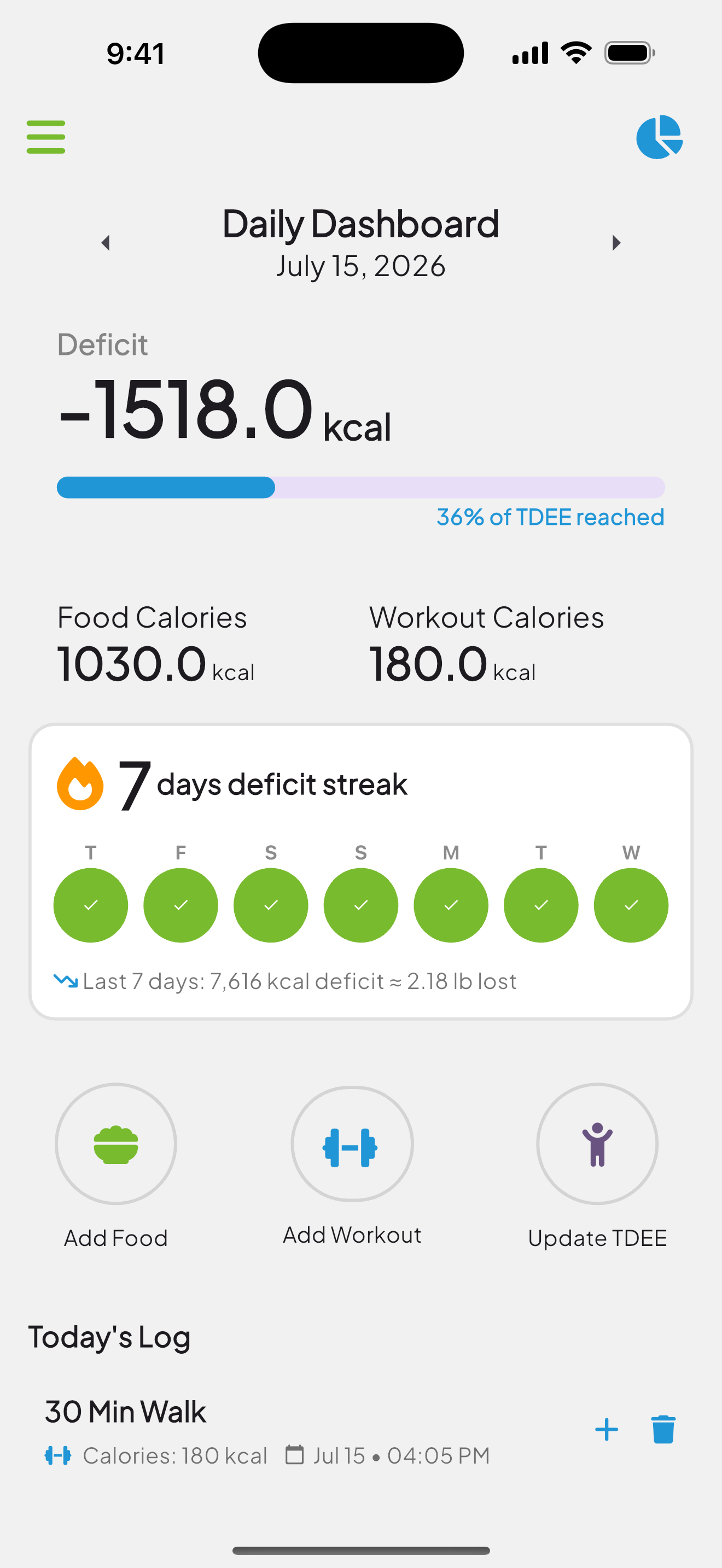
No tiny charts or confusing dashboards. As soon as you open the app, your daily and weekly progress is right at the top—color-coded and clear.
You’ll see how many calories you’ve consumed, burned, and whether you’re in a deficit. It updates in real time, with just the info that matters.
2. Color Cues Keep You Focused
Green means you’re in a healthy deficit. Red means you’ve gone over. Simple as that. No graphs to decode, no numbers to average. Just a visual nudge to help you stay on track.
Most users find that a quick glance at the color bar is all they need to course-correct day to day.
3. Your Deficit Streak Keeps You Honest
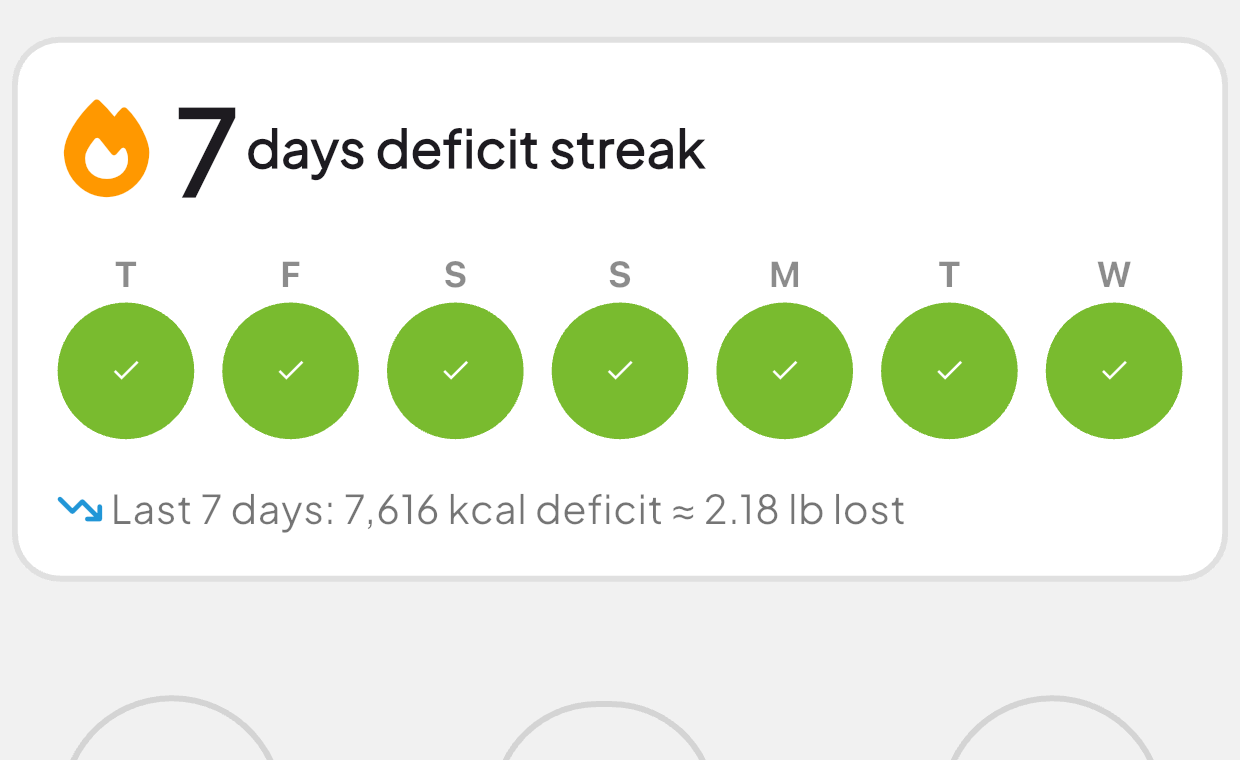
Weight loss doesn’t happen in a day. That’s why the dashboard shows a deficit streak: every consecutive day you finish under your TDEE lights up green.
Underneath it, the last seven days add up into something real: a total calorie deficit and roughly how many pounds that equals. Because 3,500 calories of deficit is about one pound, a good week literally shows you the pound you earned.
Even if you go over one day, the weekly total keeps the bigger picture in view—perfect for staying motivated.
No stress. No charts. Just a clean, focused view that helps you build momentum and stay in control.
