How It Works
Weight loss comes down to one thing: eating less than you burn. Weight Loss Navigator makes that number impossible to ignore.
1. Find Your Number
Enter your age, gender, height, and weight. That's it. The app calculates your TDEE (Total Daily Energy Expenditure), the calories your body burns in a day, using the Mifflin-St Jeor equation.
We deliberately use a sedentary baseline: the calories you'd burn even if you did nothing all day. No guessing at "moderately active" multipliers that inflate your number and stall your progress. Any exercise you log gets subtracted on top.
2. Log Food & Workouts
Log what you eat and what you burn in seconds. Most people eat the same 20 or so meals, so your history builds itself, after the first week, logging is mostly tapping things you've already entered.
Ate something you can't measure? Describe it, "chicken burrito bowl", and the built-in AI returns a calorie estimate you can adjust.
3. Watch the Deficit Add Up
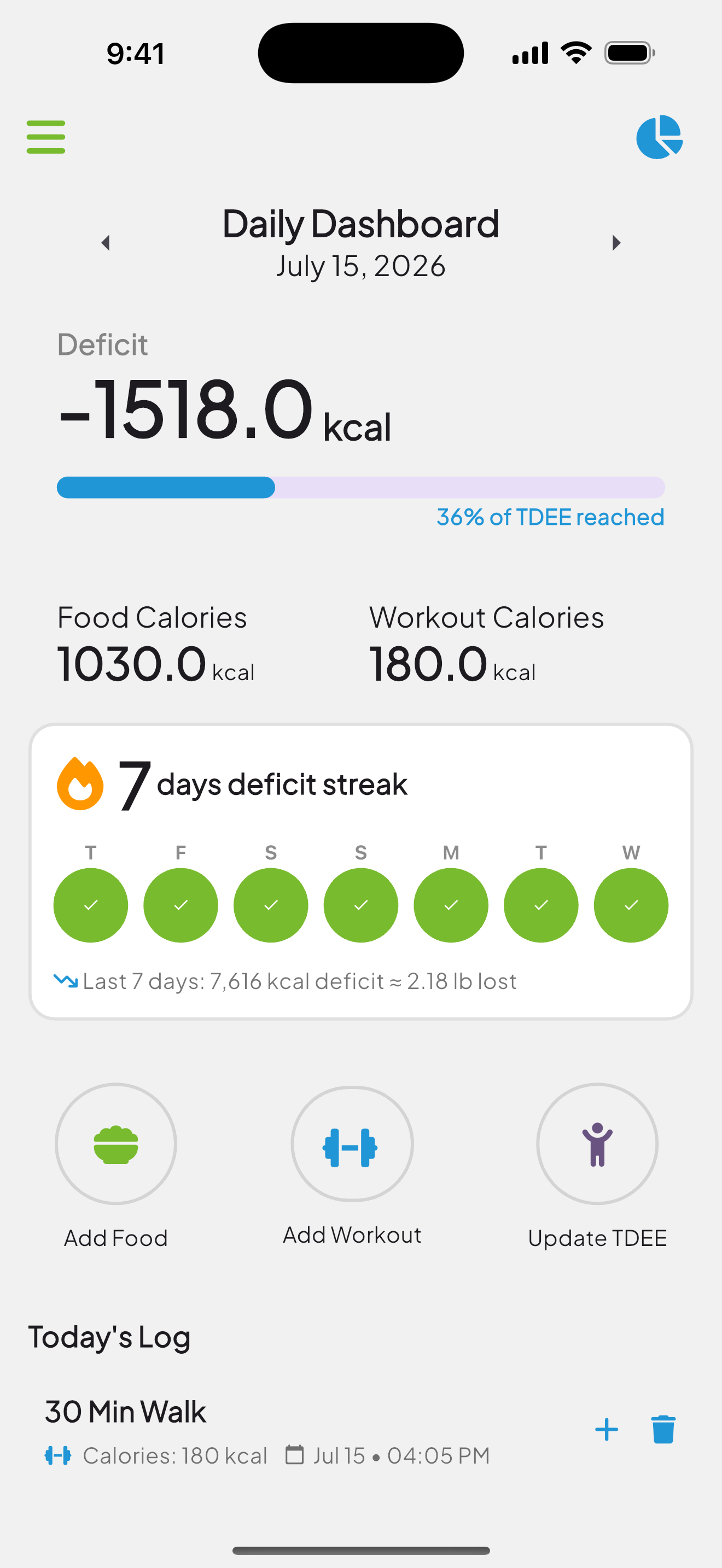
Your dashboard shows today's deficit as one big number, plus a deficit streak: every consecutive day you finish under your TDEE lights up green.
Underneath, your last seven days add up into something real, a total calorie deficit and roughly the pounds it represents. Because about 3,500 calories of deficit equals one pound, a good week shows you the pound you earned.
One Screen, Everything That Matters
No dashboards to decode. Open the app and you see your deficit, your streak, and what you've logged today.
Green days are deficit days. The streak counts how many you've strung together. The line underneath translates the week into pounds, the only translation that actually matters.
Start With Your Number for Free
You don't need the app to find out how many calories your body burns. Use our free calculator, then decide.
Calculate My CaloriesBuilt for People Who Are Tired of Diet Apps
No barcode scanning marathons. No macro spreadsheets. No community feed. Weight Loss Navigator does one job, keeping you honest about calories in versus calories out, and gets out of your way.
